
Smartwatch Battery Life — What Affects It & How to Maximize Every Charge

2026-02-09
In the world of wearable tech, battery life remains one of the most talked-about and debated topics. Smartwatches have quickly evolved from simple digital timepieces to powerful wearable computers capable of tracking health data, displaying notifications, managing apps, and even making calls. But all this functionality comes at a cost — energy. Understanding how long a smartwatch battery lasts, what affects its longevity, and how to make the most out of every charge is essential for anyone relying on these devices daily.
How Battery Life Is Measured
Battery life is usually quoted in hours or days of use per charge, and this varies widely between models and usage patterns. For most mainstream smartwatches, you can expect 1–3 days of battery life on a full charge under typical usage. However, some devices — especially those with simpler displays or optimized power-saving modes — can stretch this to 5 days or more without recharging.
More advanced wearables with larger batteries or efficient operating systems may even go beyond this range, offering extended performance when features like always-on displays or frequent GPS tracking are disabled.
Factors That Influence Battery Life
Understanding why battery life varies so much between watches is key to setting realistic expectations. Here are the top factors that determine how long a smartwatch lasts on a charge:
1. Display Technology
The display is one of the biggest energy consumers in a smartwatch. AMOLED or OLED screens, known for bright colors and deep blacks, generally use more power than reflective or transflective displays found in some fitness-oriented models.
Always-on displays — while convenient — keep parts of the screen active even when the device is idle, significantly increasing power usage. Turning this feature off or using it sparingly can noticeably extend battery life.
2. Usage Patterns
How you use your smartwatch dramatically impacts battery life. Frequent interaction, including swiping through apps, responding to messages, using built-in features, and displaying notifications, all require power. Tracking workouts with GPS, continuously monitoring heart rate, or using cellular connectivity contributes to faster battery drainage.
Keeping Bluetooth enabled constantly, syncing data every few minutes, or using advanced features like voice assistants will also shorten the time between charges.
3. Background Features and Sensors
Health tracking capabilities — such as continuous heart rate, SpO2 monitoring, sleep tracking, and step counting — keep multiple sensors active in the background. These sensors provide valuable insights into wellness and activity levels, but they do so at a power cost.
Smartwatches designed with optimized sensor power management can balance between accuracy and longevity, while less efficient systems may struggle with battery life.
4. Software and Operating System
Software plays an important role in battery life. Efficient operating systems and well-optimized companion apps help reduce unnecessary background activity and ensure that only essential tasks consume power. Outdated software or buggy updates, on the other hand, can negatively impact performance and battery efficiency until fixed.
Manufacturers regularly release firmware updates that improve battery performance, so keeping your smartwatch up to date is a simple but effective strategy.
5. Battery Capacity and Design
Battery capacity, usually measured in milliampere-hours (mAh), varies between devices. Larger batteries can store more energy, but they are also influenced by hardware efficiency and software demands. Even two watches with similar battery capacities may perform differently depending on how features are implemented and managed.
Some smartwatches are engineered for long battery life, featuring modes that conserve power and suspend non-essential tasks. Others prioritize rich displays or advanced sensors, accepting shorter battery life as a trade-off.
Practical Tips to Maximize Battery Life
While battery technology continues to improve, smart usage practices can help you get every last hour out of a charge. Here are the best ways to extend your smartwatch battery life:
1. Adjust Display Settings
The display is a major power consumer, so lowering brightness or shortening the screen timeout can make a meaningful difference. If your watch supports it, choose a simpler watch face — especially one with a darker background — to conserve energy.
Disabling always-on display (AOD) can also reduce constant screen activity and give your watch hours of extra battery life, especially if you don’t need to see the time all the time.
2. Limit Notifications and Connectivity
Smartwatches light up the screen and vibrate with every notification they receive. While convenient, these frequent activations drain the battery faster. Tailor your notification settings to only show alerts for key apps, and consider disabling unnecessary alerts.
Turning off unused connectivity features — like Bluetooth, Wi-Fi, or GPS — when not needed can also reduce background power use. For example, if you’re not tracking a workout or syncing data constantly, disabling GPS helps preserve battery.
3. Use Power-Saving Modes
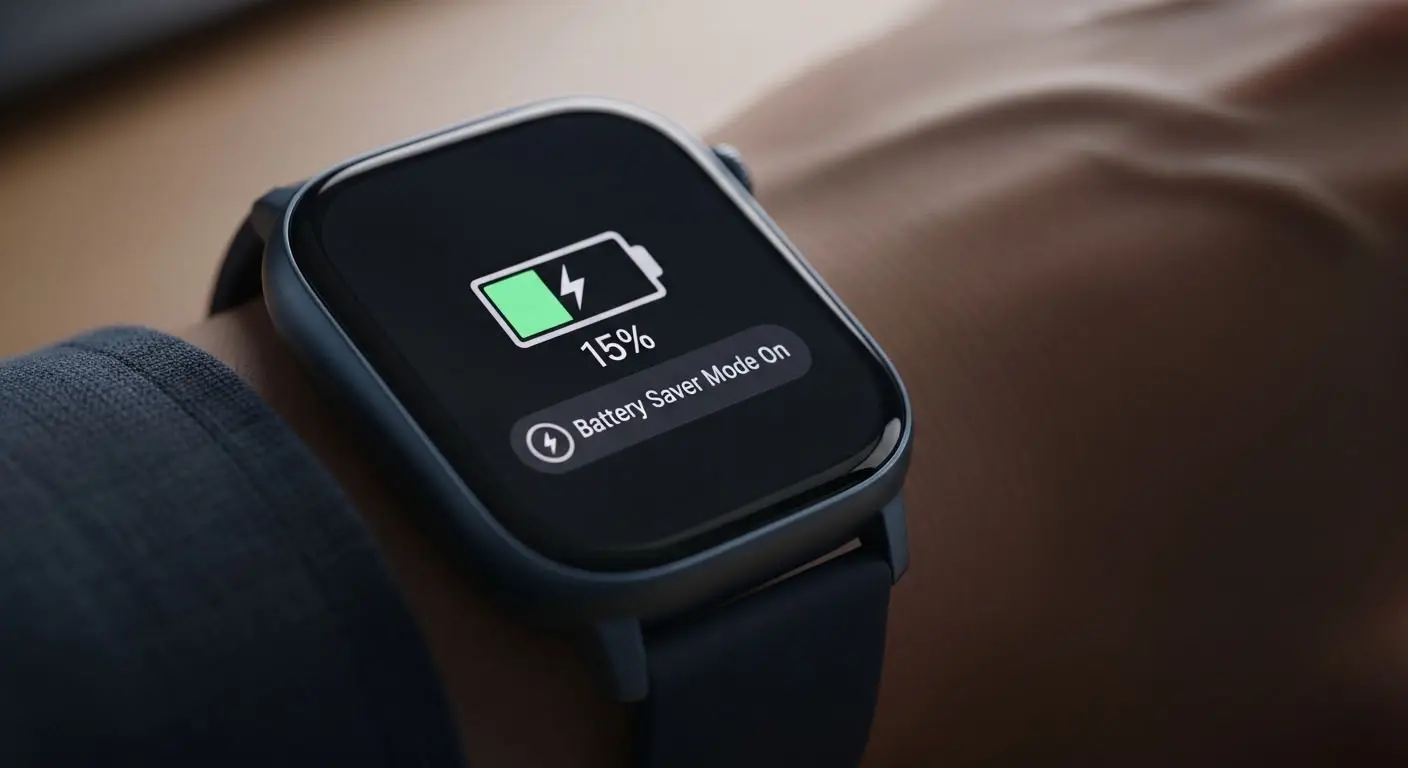
Many smartwatches include built-in power-saving or low-power modes. These modes temporarily limit non-essential functions — such as animations, high refresh rate, or background activity — to extend the time between charges. Activating such modes when battery levels are low can often preserve dozens of hours of use.
On long trips or days when charging isn’t convenient, power-saving modes are particularly useful.
4. Adjust Health Tracking Intervals
Continuous tracking — especially for heart rate and SpO2 — uses sensors frequently and consumes more energy. If you don’t need constant monitoring, adjusting health tracking intervals to less frequent sampling can extend battery life with minimal impact on the usefulness of the data.
5. Charge Smartly
While it’s tempting to leave your smartwatch plugged in overnight constantly, smart charging habits can benefit battery health in the long run. Removing the watch when it reaches full charge and avoiding extreme temperatures during charging — such as very hot environments — can help preserve battery capacity over time.
Short top-ups — like charging while you shower or during work — can also maintain battery levels without stressing the battery with full cycles every day.
When to Expect Battery Degradation
All lithium-ion batteries naturally degrade over time. This means that even with good habits, the maximum battery life of a smartwatch may reduce after months or years of use. Gradual wear is expected, and most devices are designed to maintain reasonable performance for years before significant loss occurs. Regularly updating software, avoiding extreme heat, and maintaining moderate charge cycles can slow this degradation.
Final Thoughts
Battery life remains a central consideration for anyone who uses a smartwatch daily. Knowing how your watch uses power, what factors drain the battery fastest, and how to optimize its settings can make the difference between charging once a day and charging once every few days. Whether you’re a casual user checking notifications or an active person relying on health and fitness tracking, smart battery management enhances the overall wearable experience and ensures your device is ready when you need it most